
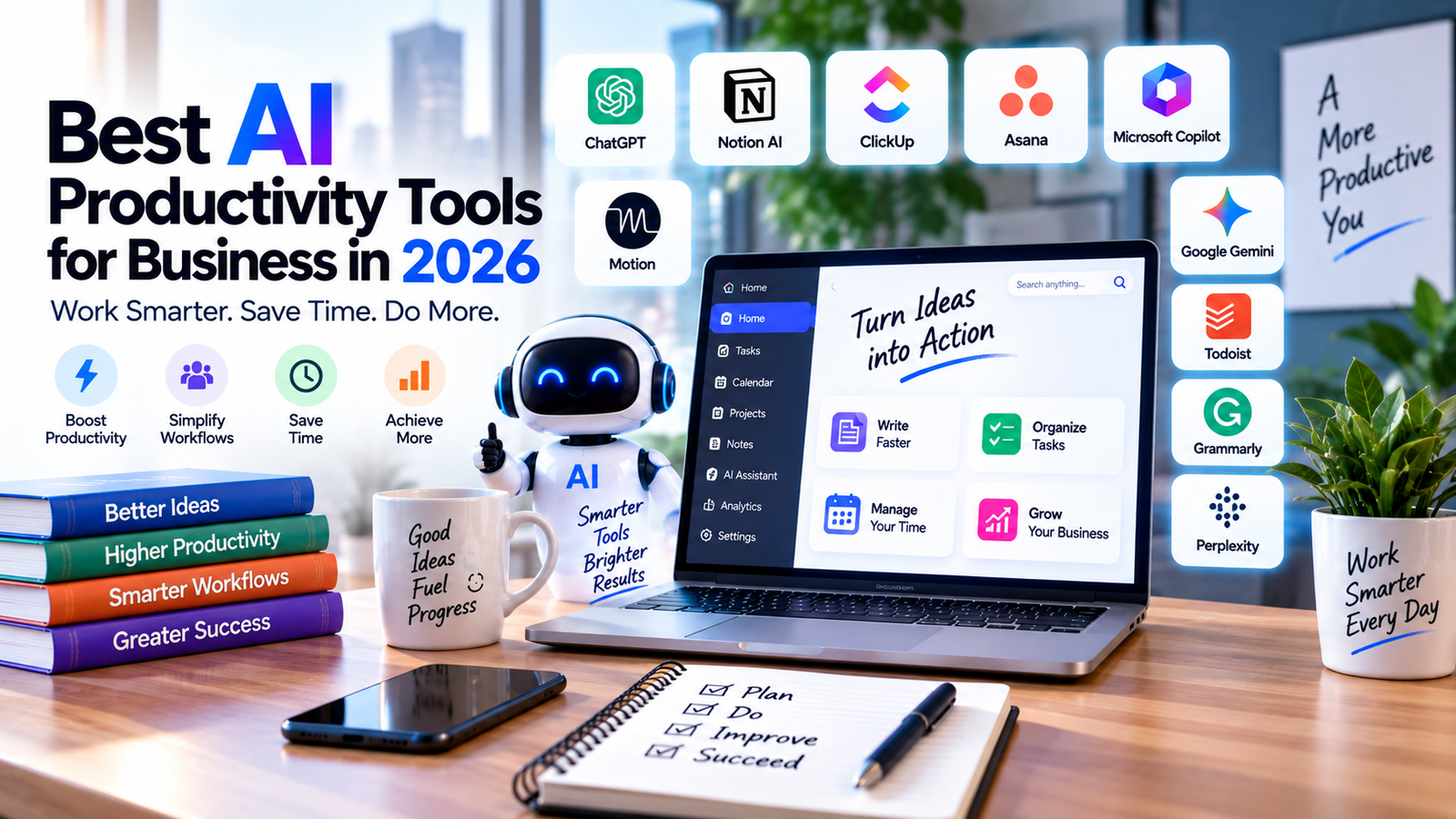
Running a business often means dealing with the same problem every day: there is never enough time.
Emails need replies, meetings need notes, tasks need to be organized, projects need updates, and research can easily take hours. This is where AI productivity tools can make a practical difference.
The best AI productivity software is not simply about generating text. Modern tools can help businesses organize tasks, manage calendars, summarize meetings, research information, write documents, track projects, and automate repetitive work.
But with hundreds of AI tools available today, choosing the right one can be difficult.
In this guide, we compare the best AI productivity tools for business in 2026, what each tool is useful for, and which type of business or professional may benefit from it.
Quick Comparison: Best AI Productivity Tools
| AI Tool | Best For | Main Productivity Use |
| ChatGPT | Overall productivity | Writing, research, analysis and everyday work |
| Motion | Scheduling | AI calendar and task planning |
| Notion AI | Knowledge management | Notes, documents and workspace organization |
| ClickUp Brain | Project management | Tasks, projects, writing and workflow support |
| Microsoft Copilot | Microsoft users | Word, Excel, Outlook and Microsoft 365 workflows |
| Google Gemini | Google Workspace | Gmail, Docs, Sheets and research |
| Asana AI | Project teams | Project planning and workflow management |
| Todoist | Task management | Personal and team task organization |
| Grammarly | Business writing | Emails, documents and communication |
| Perplexity | Research | AI-powered research and information discovery |
What Are AI Productivity Tools?
AI productivity tools are software applications that use artificial intelligence to help people complete everyday work faster or with less manual effort.
Depending on the platform, AI can help with tasks such as:
- Writing emails and documents
- Creating task lists
- Summarizing information
- Managing schedules
- Taking meeting notes
- Researching topics
- Creating project updates
- Analyzing information
- Organizing documents
- Generating ideas
- Automating repetitive workflows
The important point is that an AI productivity tool should solve a real work problem.
For example, a freelancer may need an AI writing assistant, while a project manager may get more value from an AI project management platform.
10 Best AI Productivity Tools for Business in 2026
#1. ChatGPT — Best Overall AI Productivity Tool
ChatGPT can be useful across a wide range of everyday business tasks.
Instead of being limited to one specific workflow, it can help with writing, brainstorming, research, data analysis, summarization, planning and problem-solving.
For example, a business owner can use it to:
- Draft professional emails
- Create content outlines
- Summarize long documents
- Brainstorm marketing ideas
- Analyze business information
- Create meeting agendas
- Rewrite business communication
- Generate project plans
- Research topics
- Turn rough notes into organized documents
The biggest advantage is flexibility. You can use the same AI assistant for different types of work rather than maintaining separate tools for every small task.
Best for: Business owners, marketers, freelancers, managers and professionals who want one flexible AI assistant.
Related article: Best AI Tools for Business
#2. Motion — Best for AI Scheduling and Time Management
Motion focuses on one of the biggest productivity problems: deciding what to work on and when to work on it.
It combines tasks, calendars and scheduling to help users organize their working day.
Instead of simply maintaining a long to-do list, an AI scheduling tool can help turn tasks into a more structured daily plan.
Motion can be particularly useful for people who manage multiple projects, meetings and deadlines at the same time.
For example, a freelancer could have several client deadlines during the same week. Rather than manually deciding how much time to spend on every task, the scheduling system can help organize those tasks around the available calendar.
Best for: Entrepreneurs, freelancers, managers and professionals who struggle with scheduling and time management.
Related article: Motion AI Review: Features, Pricing & Business Use
#3. Notion AI — Best for Workspace and Knowledge Management
Notion combines notes, documents, databases, project information and team knowledge in one workspace.
Its AI features make it more useful for businesses that already keep a lot of information inside Notion.
Common uses include:
- Summarizing documents
- Improving written content
- Finding information
- Creating meeting notes
- Organizing knowledge
- Generating drafts
- Working with information stored inside a workspace
For a growing team, having company information organized in one place can reduce the time employees spend searching through separate documents and conversations.
Notion is particularly interesting for teams that want productivity and knowledge management in the same platform.
Best for: Teams, startups, content teams and businesses that need a centralized workspace.
Related article: Best AI Meeting & Note-Taking Tools for Business
#4. ClickUp Brain — Best for AI Project Management
ClickUp is already widely used for tasks and project management, while ClickUp Brain adds AI capabilities directly into the workspace.
The AI can help with tasks such as summaries, project updates, writing, subtasks and workflow-related work. ClickUp’s current documentation also describes broader AI capabilities across tasks, Docs, Chat and connected workspace information.
This can be useful because the AI has access to work context inside the platform rather than operating completely separately from the project.
For example, a project manager may use AI to summarize a task, create suggested subtasks or prepare a project update.
Best for: Project managers, agencies and teams managing multiple projects.
#5. Microsoft Copilot — Best for Microsoft 365 Users
For businesses already using Microsoft 365, Microsoft Copilot can fit naturally into existing workflows.
Instead of moving information into a separate productivity platform, businesses can use AI within the Microsoft ecosystem for tasks involving documents, communication, meetings and business information.
Potential use cases include:
- Drafting emails
- Summarizing information
- Working with documents
- Creating content
- Preparing meeting-related material
- Analyzing information
- Improving workplace communication
The biggest advantage is ecosystem integration.
Best for: Businesses that already depend heavily on Microsoft 365.
#6. Google Gemini — Best for Google Workspace Users
Google Gemini can be useful for businesses already working with Google services.
For teams using Gmail, Google Docs, Google Sheets and other Google Workspace products, having AI capabilities within the same ecosystem can reduce the need to constantly switch between applications.
Typical productivity use cases include:
- Email assistance
- Content drafting
- Summarization
- Brainstorming
- Research
- Document-related work
- Information organization
Best for: Businesses and professionals using Google Workspace as their primary work environment.
#7. Asana AI — Best for Project and Workflow Management
Asana is designed around project and task management, making it a natural choice for teams that need structure around their work.
AI features can help teams work with projects, tasks and workflows while reducing some of the manual effort involved in organizing information.
Asana is particularly useful when a business has multiple people working on the same projects and needs clear visibility into responsibilities and progress.
Best for: Marketing teams, agencies, project teams and businesses managing structured workflows.
#8. Todoist — Best for AI-Assisted Task Management
Sometimes productivity does not require a complicated project management system.
Todoist is focused on tasks and to-do lists, making it a practical option for individuals and smaller teams that want to organize their work without creating a large project-management setup.
It can be useful for:
- Daily tasks
- Personal productivity
- Recurring work
- Project-related to-do lists
- Prioritizing tasks
- Managing deadlines
If your main problem is simply keeping track of what needs to be done, a focused task-management tool may be more useful than a large business platform.
Best for: Freelancers, professionals and small teams.
#9. Grammarly — Best for Business Writing
Good communication is an important part of productivity.
Employees can spend significant amounts of time writing and editing emails, proposals, reports and other business communication.
Grammarly can help improve writing by assisting with:
- Grammar
- Clarity
- Tone
- Rewriting
- Professional communication
- Business documents
It is especially useful for people who communicate with customers, clients or international teams regularly.
Best for: Sales teams, marketers, customer support teams and professionals who write frequently.
#10. Perplexity — Best for AI Research
Research can consume a large portion of a working day.
Perplexity is designed around AI-assisted information discovery and can be useful when you need to investigate a topic quickly.
Businesses may use research-focused AI tools for:
- Market research
- Competitor research
- Topic research
- Industry information
- Content research
- Initial fact-finding
However, AI research should still be reviewed carefully, particularly when information is important to a business decision.
Best for: Researchers, marketers, content teams, analysts and professionals who frequently need to investigate new topics.
Best AI Productivity Tools for Small Business
Small businesses usually do not need ten different AI applications.
The better approach is to choose tools based on the biggest productivity bottleneck.
For example:
- For general business work: ChatGPT
- For scheduling: Motion
- For tasks: Todoist
- For project management: ClickUp or Asana
- For business writing: Grammarly
- For research: Perplexity
A small business can start with one or two tools and add more only when there is a clear reason.
Best AI Productivity Tools for Teams
Team productivity is slightly different from individual productivity.
A good team tool should help people share information, understand responsibilities and reduce unnecessary communication.
For teams, consider:
- ClickUp Brain
- Asana AI
- Notion AI
- Microsoft Copilot
- Google Gemini
- ChatGPT
The right choice depends heavily on the software your team already uses.
If your company already works inside Microsoft 365, Microsoft-focused AI may make more sense.
If your team uses Google Workspace, Google-based AI may fit more naturally.
The project management is the main problem, ClickUp or Asana may be a better starting point.
Best AI Productivity Tool for Scheduling
If scheduling is your biggest problem, Motion deserves special attention.
A calendar tells you when meetings happen. A productivity-focused scheduling system can go further by helping organize the work that needs to happen around those meetings.
This can be particularly useful for:
- Busy entrepreneurs
- Agency owners
- Freelancers
- Sales professionals
- Managers
- Consultants
For people with constantly changing priorities, automated scheduling can potentially reduce the amount of time spent rearranging calendars and task lists.
Best AI Productivity Tools for Project Management
For project-heavy businesses, ClickUp Brain and Asana AI are worth considering.
The important question is not simply which platform has more AI features.
Instead, ask:
Does the AI work with the project information my team already uses?
That matters because an AI assistant becomes more useful when it can work with relevant tasks, documents, deadlines and project context.
Best AI Productivity Tools for Research
Research-focused work can benefit from tools such as:
- Perplexity
- ChatGPT
- Google Gemini
- Notion AI
However, research should not end with an AI-generated answer.
For important business decisions, check the original source, verify important numbers and confirm that the information is current.
AI can reduce the time needed to find and organize information, but human judgment is still important.
How AI Productivity Tools Save Time
The biggest productivity gains often come from small tasks repeated every day.
Consider a typical workday.
You may spend:
- 20 minutes answering routine emails
- 30 minutes organizing tasks
- 45 minutes researching information
- 30 minutes preparing meeting notes
- 20 minutes writing project updates
Individually, these tasks may not seem significant.
Together, they can consume several hours.
AI productivity tools can help reduce some of this repetitive work through drafting, summarization, organization and automation.
The goal should not be to automate everything.
The goal is to spend less time on repetitive work and more time on work that requires human judgment.
How to Choose the Right AI Productivity Tool
How to Choose the Right AI Productivity Tool
Before subscribing to another AI platform, ask these questions:
1. What problem am I trying to solve?
Do not start with the tool.
Start with the problem.
Is it scheduling, writing, research, project management or task organization?
2. Does it integrate with my existing software?
Integration can be more important than having a long list of features.
3. Will my team actually use it?
A powerful platform is not useful if employees find it too complicated.
4. Does it save enough time to justify the cost?
Calculate the actual time saved instead of buying tools simply because they are popular.
5. Does it handle business information responsibly?
Before connecting company data, review the provider’s security, privacy and data-handling policies.
6. Can I start small?
If possible, begin with one workflow and measure the result before expanding.
AI Productivity Tools vs Traditional Productivity Software
Traditional productivity software usually gives users tools to organize and manage work.
AI productivity software adds another layer: it can help users interact with that information using natural language and automation.
For example:
Traditional approach:
Create task → assign task → write update → send update.
AI-assisted approach:
Create task → ask AI to summarize progress → generate an update → review → send.
The second approach does not eliminate human involvement. Instead, it can reduce the amount of manual work involved.
A Simple AI Productivity Stack for 2026
You do not need to use every AI tool available.
A simple business setup could look like this:
- General AI assistant: ChatGPT
- Scheduling: Motion
- Project management: ClickUp or Asana
- Knowledge management: Notion AI
- Writing: Grammarly
- Research: Perplexity
The best combination will depend on your business size, workflow and existing software.
Common Mistakes When Using AI Productivity Tools
Using too many tools
Adding more applications does not automatically make a business more productive.
Too many tools can create more notifications, logins and duplicated information.
Automating important decisions
AI can help prepare information, but important financial, legal, HR or business decisions may still require human review.
Not checking AI output
AI-generated information can contain mistakes.
Always review important outputs before sending them to customers or using them for business decisions.
Buying tools without a clear use case
Do not purchase an AI subscription simply because it is trending.
Identify a specific workflow first.
Ignoring team adoption
A tool only creates value if people actually use it.
Are AI Productivity Tools Worth It?
For many businesses, the answer depends on how much repetitive work they have.
A freelancer who spends several hours every week writing emails and organizing tasks may benefit from a different tool than a 50-person company managing complex projects.
The best way to evaluate an AI productivity tool is simple:
Measure the problem before and after using it.
Track things such as:
- Time saved
- Tasks completed
- Response time
- Project delays
- Manual work reduced
- Employee adoption
This gives you a much better picture than simply looking at the number of AI features a product offers.
Our Tool Selection Guide
There is no single AI productivity tool that fits every business.
Here is a practical way to narrow the options:
ChatGPT: General business productivity, writing, research and problem-solving
Motion: Scheduling, calendars and time management
Notion AI: Knowledge management and collaborative workspace
ClickUp Brain: Project management and AI-assisted workflows
Microsoft Copilot: Businesses working primarily with Microsoft 365
Google Gemini: Businesses using Google Workspace
Asana AI: Project and workflow management
Todoist: Simple task management
Grammarly: Business writing and communication
Perplexity: Research and information discovery
FAQs.
Q1. What are the best AI productivity tools for business in 2026?
Some widely useful options include ChatGPT, Motion, Notion AI, ClickUp Brain, Microsoft Copilot, Google Gemini, Asana AI, Todoist, Grammarly and Perplexity. The right choice depends on the specific business workflow.
Q2. What is the best AI productivity tool for small businesses?
A general AI assistant such as ChatGPT can be a useful starting point because it can support multiple types of work. Businesses with specific needs may benefit from dedicated tools for scheduling, project management or task management.
Q3. Which AI tool is best for scheduling?
Motion is specifically focused on AI-assisted scheduling, task planning and time management.
Q4. Which AI productivity tool is best for project management?
ClickUp Brain and Asana AI are worth considering for teams that manage projects, tasks and workflows.
Q5. Can AI productivity tools replace employees?
AI productivity tools are generally better viewed as assistants rather than complete replacements for employees. They can automate or accelerate certain tasks while human judgment remains important for many business decisions.
Q6. Are AI productivity tools safe for business?
Safety depends on the specific provider, plan and information being shared. Businesses should review privacy, security, data retention and access controls before connecting sensitive company information.
Related Articles for AI Tools
Best AI Tools for Business
Best AI Automation Tools for Business in 2026
Best AI Customer Service Tools for Business in 2026
Best AI Design & Creative Tools for Business in 2026
Best AI Meeting & Note-Taking Tools for Business in 2026
Motion AI Review: Features, Pricing & Business Use
Conclusion:
The best AI productivity tools for business in 2026 are not necessarily the tools with the most features.
The better choice is usually the tool that fits naturally into your existing workflow and solves a specific problem.
If you need a flexible AI assistant, ChatGPT is a strong starting point.
If scheduling is taking too much of your time, Motion may be worth exploring.
For project-heavy teams, ClickUp or Asana can provide a more structured workflow.
For knowledge management, Notion AI can be useful, while Grammarly focuses on communication and Perplexity is particularly useful for research.
Start with one productivity problem, choose one tool, measure the result, and expand your AI stack only when it genuinely saves time or improves your workflow.