
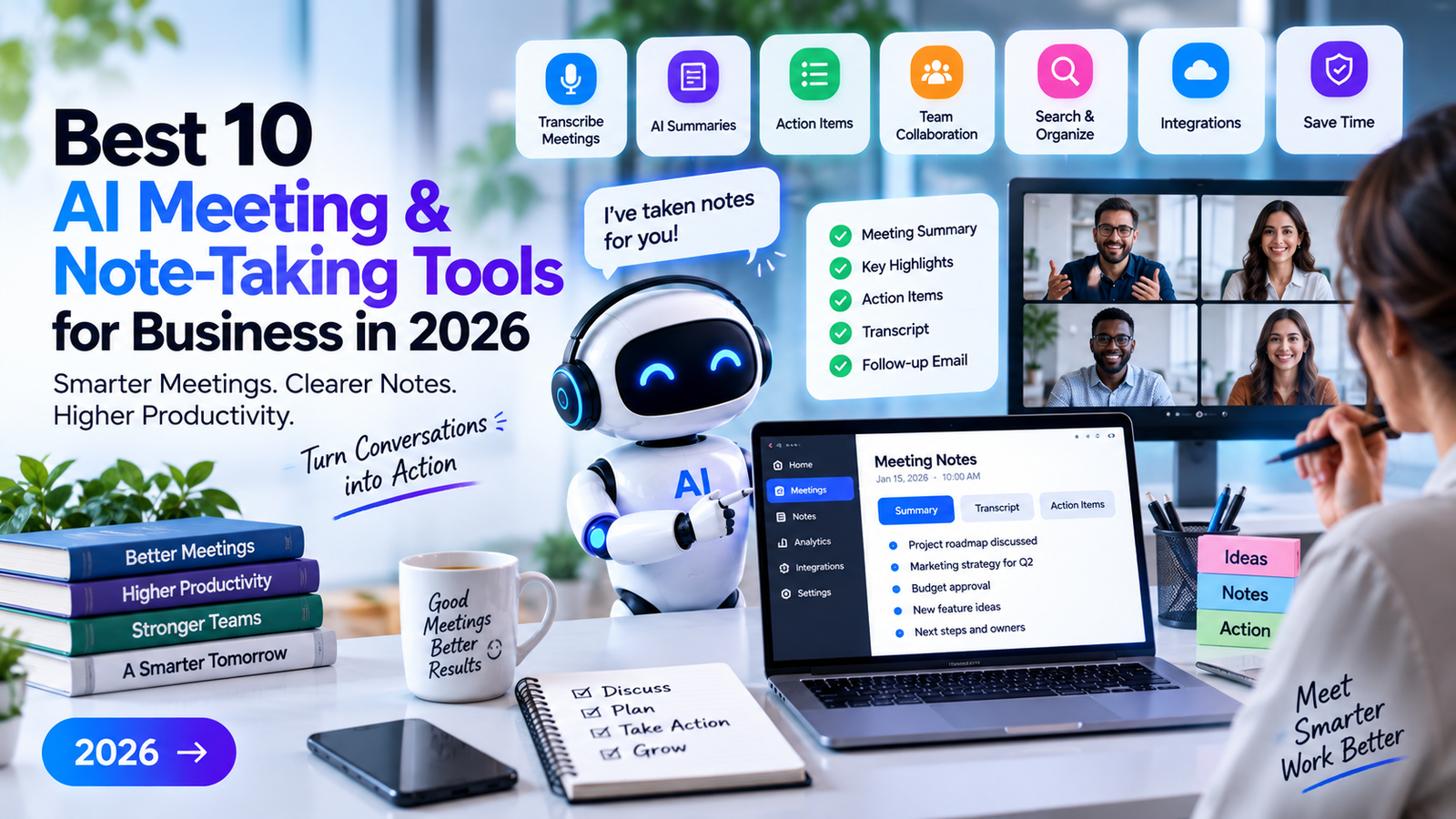
Business meetings can generate a lot of useful information, but remembering everything discussed during a call is not always easy.
AI meeting and note-taking tools can help by recording or transcribing conversations, creating meeting summaries, identifying important points, and turning discussions into actionable tasks.
For remote teams, sales teams, agencies, startups, and businesses that attend multiple meetings every week, these tools can reduce the amount of time spent taking notes manually.
In this guide, we’ll look at the best AI meeting and note-taking tools for business in 2026, what each tool does best, and which option may fit different business needs.
Quick Comparison: Best AI Meeting & Note-Taking Tools
| Tool | Best For | Ideal Users |
| Otter.ai | Meeting transcription & notes | Teams & professionals |
| Fireflies.ai | Meeting recording & summaries | Sales & support teams |
| Fathom | AI meeting summaries | Small teams & professionals |
| Read AI | Meeting insights & analytics | Business teams |
| Avoma | Meetings & revenue workflows | Sales teams |
| Notion AI | Notes & knowledge management | Teams & professionals |
| Microsoft Teams + Copilot | Microsoft meetings | Microsoft 365 businesses |
| Google Meet + Gemini | Google Workspace meetings | Google Workspace users |
| Zoom AI Companion | Zoom meetings | Remote teams |
| ChatGPT | Summaries & note processing | General business use |
What Are AI Meeting & Note-Taking Tools?
AI meeting and note-taking tools use artificial intelligence to help capture and organize information from meetings.
Depending on the platform, they can:
- Transcribe meetings
- Generate meeting summaries
- Identify action items
- Highlight important discussion points
- Create meeting notes
- Identify speakers
- Search past conversations
- Generate follow-up emails
- Track decisions
- Extract tasks
- Analyze meeting conversations
Instead of having one person spend the entire meeting writing notes, AI can create a transcript or summary while participants focus on the conversation.
Human review is still important, especially when meeting notes contain important decisions, financial information, customer information, or other sensitive details.
Best AI Meeting & Note-Taking Tools for Business in 2026
#1. Otter.ai — Best for AI Meeting Transcription
Otter.ai is designed around meeting transcription, notes, summaries, and conversation search.
It can be useful for teams that attend frequent online meetings and want an organized record of what was discussed.
Best For
- Meeting transcription
- AI-generated summaries
- Speaker identification
- Meeting notes
- Action items
- Searchable conversations
A sales team, for example, can use meeting transcripts to review customer conversations and identify follow-up tasks.
Pros
- Strong focus on meeting transcription
- Useful summaries
- Searchable meeting content
- Helpful for teams with frequent meetings
Cons
- Advanced features may depend on the selected plan
- AI-generated notes should still be reviewed for accuracy
Best for: Businesses and professionals who primarily need reliable meeting notes and transcripts.
#2. Fireflies.ai — Best for Meeting Recording and Summaries
Fireflies.ai is an AI meeting assistant designed to capture conversations and turn them into searchable information.
It can be useful for sales, recruiting, customer support, and internal meetings.
Common Uses
- Meeting transcription
- AI summaries
- Action items
- Conversation search
- Meeting analytics
- CRM workflows
One of its useful applications is turning conversations into information that teams can review later without listening to an entire recording.
Best for: Sales teams, customer support teams, recruiters, and businesses with many meetings.
#3. Fathom — Best for Simple AI Meeting Summaries
Fathom focuses on helping users capture meeting information and generate useful summaries.
It can be especially helpful for professionals who want to spend less time writing notes during video meetings.
Common Uses
- Meeting summaries
- Transcriptions
- Action items
- Conversation highlights
- Follow-up information
Best for: Small teams, consultants, sales professionals, and people who want a straightforward AI meeting assistant.
#4. Read AI — Best for Meeting Insights
Read AI combines meeting summaries with insights designed to help users understand meeting interactions.
It can provide information about meetings and communication patterns, depending on the available features and plan.
Best For
- Meeting summaries
- Meeting analytics
- Team communication
- Conversation insights
- Productivity
Best for: Teams that want more than a basic meeting transcript and are interested in meeting-level insights.
#5. Avoma — Best for Sales Meetings
Avoma focuses heavily on meeting intelligence and workflows for revenue teams.
It can help sales organizations capture customer conversations and turn them into useful information for sales processes.
Common Uses
- Sales meeting notes
- Call transcription
- Meeting summaries
- Action items
- Conversation analysis
- CRM-related workflows
For sales teams, the ability to connect meeting information with follow-up activities can be particularly useful.
Best for: Sales teams, account executives, customer success teams, and revenue organizations.
#6. Notion AI — Best for Notes and Knowledge Management
Notion is more than a meeting-notes application. It provides a workspace for documents, databases, projects, and company knowledge.
Its AI capabilities can help users summarize information, organize notes, and work with business documentation.
Best For
- Meeting notes
- Team documentation
- Knowledge bases
- Project notes
- Summarization
- Internal company information
Businesses already using Notion may find it convenient to keep meeting notes alongside projects and documentation.
Best for: Teams that want meeting notes connected to their wider knowledge-management system.
#7. Microsoft Teams + Copilot — Best for Microsoft 365 Businesses
Businesses using Microsoft Teams and Microsoft 365 can use Microsoft’s AI capabilities to assist with meeting-related productivity.
Depending on the available plan and features, AI can help with tasks such as summarizing meeting discussions, identifying action items, and reviewing meeting information.
Best For
- Microsoft Teams meetings
- Meeting summaries
- Microsoft 365 workflows
- Enterprise collaboration
- Productivity
Best for: Organizations already using Microsoft Teams and Microsoft 365.
#8. Google Meet + Gemini — Best for Google Workspace
Google Workspace users can benefit from AI capabilities integrated into Google’s collaboration tools.
Depending on the plan and available features, AI can assist with meeting-related tasks such as summaries and productivity.
Best For
- Google Meet
- Google Workspace
- Meeting summaries
- Team collaboration
- Business productivity
Best for: Businesses that already rely heavily on Google Workspace.
#9. Zoom AI Companion — Best for Zoom Users
Zoom has introduced AI capabilities designed to help users get more value from meetings and conversations.
Depending on the available plan and features, businesses can use AI assistance for meeting summaries and other productivity tasks.
Common Uses
- Meeting summaries
- Conversation assistance
- Action items
- Meeting productivity
- Follow-up work
Best for: Businesses that use Zoom as their primary video-conferencing platform.
#10. ChatGPT — Best for Processing Meeting Notes
ChatGPT can be useful after a meeting when you already have notes, transcripts, or other meeting information.
For example, a team can provide a transcript and ask AI to organize it into:
Executive summary
- Key decisions
- Action items
- Customer requirements
- Follow-up email
- Project tasks
- Questions that still need answers
This makes ChatGPT a flexible option for businesses that want to transform existing meeting information into useful business documents.
Best for: Businesses that need flexible AI assistance for meeting summaries and follow-up work.
Best AI Meeting Tools for Small Businesses
Small businesses usually don’t need an extremely complicated meeting-intelligence platform.
Good options to consider include:
- Otter.ai
- Fathom
- Fireflies.ai
- Notion AI
- ChatGPT
If your business already uses Zoom, Microsoft Teams, or Google Meet, it may also make sense to first explore the AI features available within your existing platform.
Best AI Meeting Tools for Sales Teams
Sales teams can benefit significantly from AI meeting assistants because customer conversations often contain important information that needs to be remembered and shared.
Useful options include:
- Avoma
- Fireflies.ai
- Otter.ai
- Fathom
- HubSpot-connected meeting workflows
Common sales applications include:
- Customer call summaries
- Prospect requirements
- Follow-up tasks
- Objection tracking
- Sales notes
- CRM updates
The goal is to turn the meeting from a recording into useful sales information.
Best AI Note-Taking Tools for Students and Professionals
AI note-taking isn’t limited to business meetings.
Professionals and students can also use AI tools for:
- Lectures
- Interviews
- Research discussions
- Training sessions
- Workshops
- Webinars
- Team meetings
Notion AI, Otter.ai, ChatGPT, and other transcription tools can help organize long conversations into shorter notes.
How AI Meeting Assistants Save Time
Automatic Transcription
Instead of manually typing everything, AI can convert spoken conversations into text.
Meeting Summaries
Long meetings can be condensed into key discussion points.
Action Items
AI can identify tasks and follow-up items mentioned during the conversation.
Searchable Conversations
Transcripts can make it easier to find a specific discussion later.
Faster Follow-Ups
Meeting information can be turned into follow-up emails, tasks, or project notes.
How to Choose the Best AI Meeting & Note-Taking Tool
#1. Check Your Meeting Platform
First look at the software your team already uses.
If you primarily use:
- Microsoft Teams → Explore Microsoft AI capabilities.
- Google Meet → Explore Gemini features.
- Zoom → Explore Zoom AI Companion.
You may not need a separate meeting assistant.
#2. Decide What You Need
Do you primarily need:
- Transcription?
- Summaries?
- Action items?
- Meeting analytics?
- Sales intelligence?
- Knowledge management?
- CRM integration?
Choose the tool based on the actual problem you want to solve.
#3. Consider Accuracy
AI transcripts and summaries can contain mistakes.
Important meeting notes should be reviewed before being used for contracts, financial decisions, customer commitments, or other high-impact purposes.
#4. Check Integrations
Look for integrations with:
- CRM
- Project management software
- Calendar
- Slack
- Knowledge base
- Video conferencing software
#5. Think About Privacy
Meetings can contain confidential business information.
Before recording or transcribing a meeting, businesses should consider applicable privacy requirements, company policies, participant expectations, and the tool’s current data-handling terms.
#6. Review Pricing
AI meeting tools can charge based on users, transcription minutes, meetings, AI usage, or features.
Check current pricing and limits before purchasing.
AI Meeting Notes vs Manual Note-Taking
Manual note-taking still has advantages.
A person can understand context, recognize important decisions, and distinguish between serious commitments and casual discussion.
AI is better suited to handling the mechanical part of the process:
Meeting → Transcript → Summary → Action Items → Human Review
This combination can provide the speed of automation while keeping people responsible for accuracy.
Clear Tool-Selection Verdict: Which AI Meeting Tool Should You Choose?
The right tool depends heavily on your meeting platform and business requirements.
Best for Meeting Transcription: Otter.ai
Choose Otter.ai if your main requirement is turning meetings and conversations into searchable transcripts and notes.
Best for: Professionals, teams, interviews, and frequent meetings.
Best for Meeting Automation: Fireflies.ai
Choose Fireflies.ai if you want meeting transcription combined with summaries, action items, search, and broader workflow capabilities.
Best for: Sales, recruiting, customer support, and growing teams.
Best for Simple Meeting Summaries: Fathom
Choose Fathom if you want a straightforward AI meeting assistant focused on capturing useful information from calls.
Best for: Consultants, sales professionals, and small teams.
Best for Sales Meetings: Avoma
Choose Avoma if sales conversations and revenue workflows are your primary concern.
Best for: Sales and customer-success teams.
Best for Knowledge Management: Notion AI
Choose Notion AI if you want meeting notes to become part of a larger company knowledge base and workspace.
Best for: Teams using Notion for documentation and project management.
Best for Microsoft Teams: Microsoft Teams + Copilot
If your company already uses Microsoft 365 and Teams, using Microsoft’s built-in AI capabilities may be more convenient than adding another meeting platform.
Best for: Microsoft 365 organizations.
Best for Google Workspace: Google Meet + Gemini
If your business already operates heavily inside Google Workspace, Google’s meeting AI features can fit naturally into your existing workflow.
Best for: Google Workspace businesses.
Best for Zoom Users: Zoom AI Companion
If Zoom is your primary meeting platform, explore its built-in AI capabilities before purchasing a separate meeting assistant.
Best for: Zoom-based teams.
Best Flexible AI Assistant: ChatGPT
Choose ChatGPT when you need to transform meeting transcripts or notes into summaries, action lists, follow-up emails, project tasks, or other business documents.
Best for: Flexible post-meeting AI workflows.
Our Overall Recommendation
For a business starting from scratch, first identify the meeting platform you already use.
If your team is heavily invested in Microsoft Teams, Google Meet, or Zoom, start by evaluating the AI capabilities already available within that ecosystem.
If you need a dedicated meeting assistant, Otter.ai, Fireflies.ai, Fathom, and Avoma are worth comparing based on your specific workflow.
For companies that want meeting information connected to their broader documentation and knowledge base, Notion AI can be useful.
The most important factor isn’t how many AI features a tool has. It’s whether the tool reliably turns meetings into information your team can actually use.
Common Mistakes When Using AI Meeting Tools
Recording Without Proper Notice
Make sure participants know when meetings are being recorded or transcribed and follow applicable laws and company policies.
Trusting Every AI Summary
AI can misunderstand conversations or miss context.
Review important decisions and action items.
Creating Too Many Transcripts
Recording every conversation can create a huge amount of information.
Decide which meetings actually need transcription.
Ignoring Data Security
Review how meeting recordings and transcripts are stored, processed, accessed, and retained.
Not Turning Notes Into Actions
A meeting summary has limited value if nobody follows up.
Convert important decisions into tasks with clear owners and deadlines.
Are AI Meeting & Note-Taking Tools Worth It?
For teams that attend many meetings, AI meeting tools can save considerable time by reducing manual transcription and note-taking.
They can also make meetings easier to search and help teams remember important decisions and follow-up tasks.
However, the value depends on how the business uses the information afterward.
The strongest workflow is usually:
Record → Transcribe → Summarize → Extract Actions → Review → Follow Up
AI handles the repetitive information-processing work while people remain responsible for decisions and accuracy.
FAQs.
Q1. What are the best AI meeting and note-taking tools?
Popular options include Otter.ai, Fireflies.ai, Fathom, Read AI, Avoma, Notion AI, Microsoft Teams with Copilot, Google Meet with Gemini, Zoom AI Companion, and ChatGPT.
Q2. What is the best AI meeting transcription tool?
Otter.ai is a strong option when transcription and searchable meeting notes are the main priorities. Other platforms may be more suitable if you need CRM or workflow automation.
Q3. Can AI automatically take meeting notes?
Yes. Many AI meeting assistants can transcribe conversations and generate summaries, highlights, and action items.
Q4. Can AI meeting tools work with Zoom?
Yes. Several AI meeting tools can work with Zoom, and Zoom also provides its own AI capabilities depending on the available plan and features.
Q5. Are AI meeting notes accurate?
AI-generated transcripts and summaries can be useful but are not guaranteed to be perfect. Important information should be reviewed by a human.
Q6. Are AI meeting assistants safe for business meetings?
Businesses should evaluate the provider’s current security, privacy, data-handling, retention, and access controls before using an AI meeting assistant for confidential meetings.
Related Articles
Best AI Tools for Business in 2026
Best AI Automation Tools
Best AI Customer Service Tools
Best AI Design & Creative Tools
Best AI Productivity Tools
Best AI Research Tools
Motion AI Review
Conclusion:
The best AI meeting and note-taking tool for business in 2026 depends on your existing workflow.
Otter.ai is a strong option for transcription and meeting notes, while Fireflies.ai offers broader meeting automation capabilities. Fathom is useful for straightforward meeting summaries, and Avoma is particularly focused on sales conversations.
If you already use Microsoft Teams, Google Meet, or Zoom, their built-in AI capabilities may be the most convenient starting point.
For knowledge management, Notion AI can connect meeting information with your company’s wider workspace, while ChatGPT can help turn existing transcripts and notes into summaries, follow-up emails, and actionable documents.
The best approach is to choose a tool based on your meeting platform, privacy requirements, meeting volume, integrations, and the specific work you want AI to handle.