
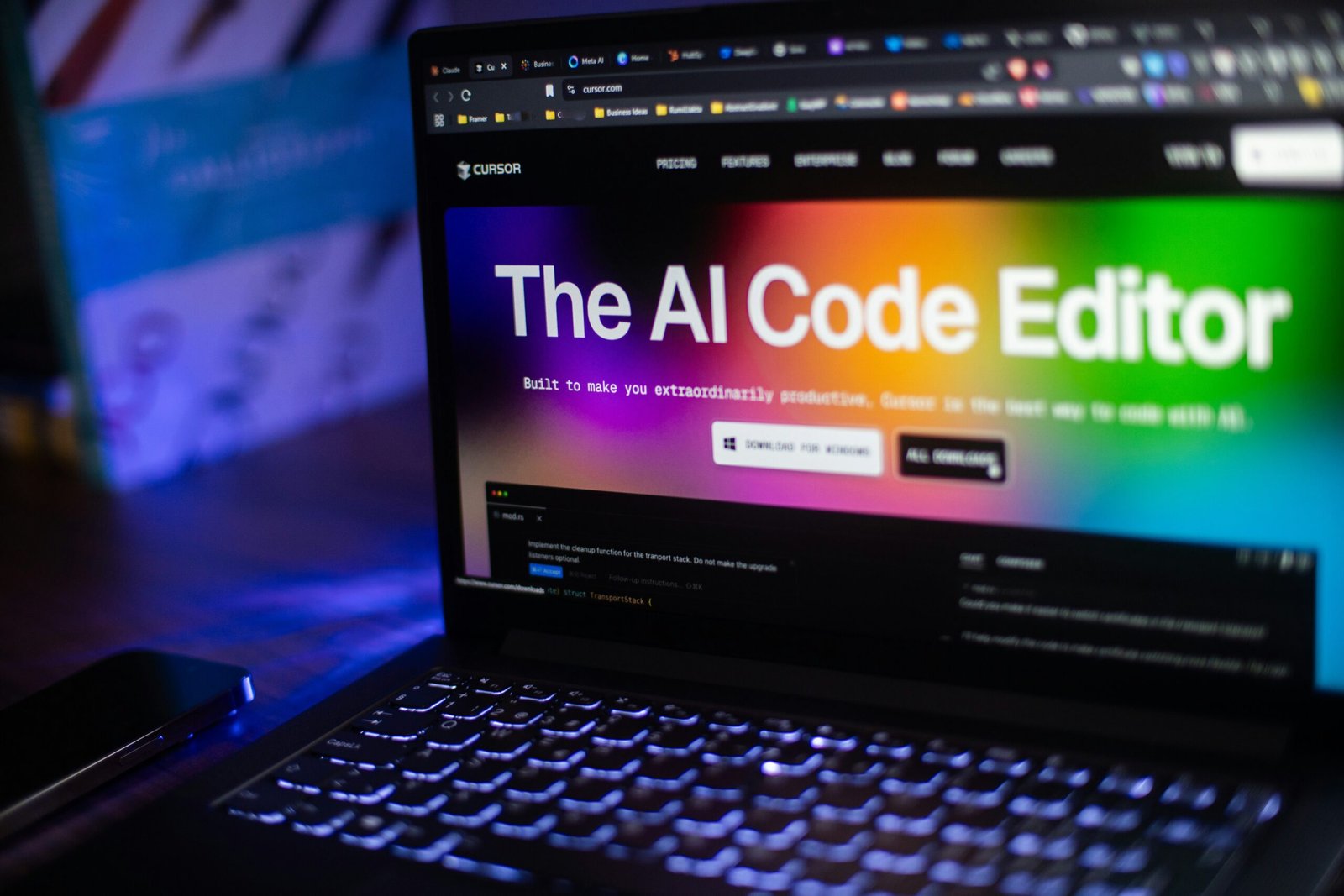
Artificial intelligence is no longer just an experimental technology for large corporations. In 2026, businesses of all sizes are using AI to write content, analyze information, automate repetitive work, create marketing materials, manage meetings, support customers, and improve everyday productivity.
But choosing the right AI software for business can be difficult.
There are hundreds of AI platforms available, and each one is designed for different tasks. Some are better for writing and research, while others are designed for marketing, meetings, design, customer support, automation, or business productivity.
In this guide, we compare the best AI tools for business in 2026 and explain what each tool is best suited for, who should use it, its advantages and limitations, and how to choose the right AI software for your business.
Our approach: We focus on practical business use cases, ease of use, features, integrations, pricing considerations, and overall value rather than simply listing the most popular AI tools.
Quick Comparison: Best AI Tools for Business
| AI Tool | Best For | Ideal Business User |
| ChatGPT | Overall AI assistance | Most businesses |
| Google Gemini | Google Workspace | Google-based teams |
| Claude | Documents & analysis | Professionals and teams |
| Microsoft Copilot | Microsoft 365 | Microsoft users |
| Perplexity | Research | Researchers and marketers |
| Jasper | Marketing content | Marketing teams |
| Canva AI | Graphic design | Small businesses |
| Notion AI | Productivity | Teams and startups |
| Grammarly | Business writing | Professionals |
| Otter.ai | Meetings | Remote teams |
| Zapier | Automation | Operations teams |
| Tidio | Customer support | Small businesses |
| QuickBooks | Accounting | Small businesses |
| Motion | Scheduling | Busy professionals |
| Mailchimp | Email marketing | Marketing teams |
Our Top Picks
Best overall: ChatGPT
Best for Google Workspace: Google Gemini
Best for long documents: Claude
Best for Microsoft 365: Microsoft Copilot
Best for AI research: Perplexity
Best for marketing: Jasper
Best for graphic design: Canva AI
Best for productivity: Notion AI
Best for meetings: Otter.ai
Best for automation: Zapier
1. ChatGPT — Best Overall AI Tool for Business
Best for: General business productivity, writing, brainstorming, research, analysis, and content creation.
ChatGPT is one of the most versatile AI assistants available to businesses. It can help with everything from drafting emails and creating marketing ideas to summarizing information, analyzing data, developing strategies, and assisting with research.
For a small business, ChatGPT can act as a general-purpose AI assistant across multiple departments.
For example, a marketing team could use it to brainstorm campaign ideas, draft social media posts, create content outlines, analyze customer feedback, and develop email campaigns.
A sales team could use it to prepare outreach messages, summarize customer information, and create sales scripts.
What ChatGPT is good at
- Business writing
- Brainstorming
- Research
- Content creation
- Data analysis
- Marketing ideas
- Email drafting
- Customer communication
- Strategy development
- Productivity
Pros:
- Extremely versatile
- Useful for many business tasks
- Easy to start using
- Suitable for individuals and teams
- Can support different types of workflows
Cons:
- Important information should be fact-checked
- Businesses should understand the privacy and data-handling settings relevant to their plan
- The number of available features can make it overwhelming for new users
Best for
Businesses that want one general-purpose AI assistant capable of supporting multiple workflows.
2. Google Gemini — Best for Google Workspace
Best for: Businesses that rely heavily on Google products.
Google Gemini is particularly attractive to businesses already using Google’s ecosystem.
Companies using Gmail, Google Docs, Google Sheets, Google Drive, and other Google Workspace products may benefit from having AI assistance integrated into familiar workflows.
Gemini can help with research, writing, brainstorming, summarization, and productivity tasks.
What Gemini is good at:
- Research
- Writing
- Document assistance
- Productivity
- Google Workspace workflows
- Brainstorming
Pros:
- Strong Google ecosystem integration
- Useful for everyday business tasks
- Convenient for Google Workspace users
Cons:
- Features vary by plan
- AI-generated information should be reviewed
Best for:
Businesses already using Google Workspace as their primary productivity platform.
3. Claude — Best for Long Documents and Analysis
Best for: Long-form writing, document analysis, research, and complex information.
Claude is particularly useful for professionals who work with large amounts of text.
Businesses can use it to summarize documents, analyze information, draft reports, brainstorm ideas, and improve written communication.
For example, a consultant could use an AI assistant to organize a long research document into a structured summary before reviewing it manually.
What Claude is good at
- Long-form writing
- Document analysis
- Summarization
- Research
- Business writing
- Brainstorming
Pros:
- Strong writing capabilities
- Useful for lengthy documents
- Good for structured analysis
Cons:
- Features depend on the plan
- Important business information should be reviewed carefully
Best for:
Professionals who frequently work with long documents, reports, and detailed written information.
#4. Microsoft Copilot — Best for Microsoft 365 Businesses
Best for: Businesses using Microsoft 365.
Microsoft Copilot can be especially useful for organizations already working with Microsoft applications such as Word, Excel, PowerPoint, Outlook, and Teams.
Instead of introducing an entirely separate workflow, businesses can use AI assistance alongside tools employees already know.
Common business uses:
Drafting documents
Summarizing emails
Creating presentations
Working with spreadsheets
Meeting assistance
Business communication
Pros:
Strong Microsoft ecosystem integration
Useful for workplace productivity
Familiar environment for Microsoft users
Cons:
Availability and features depend on the Microsoft plan
Businesses need appropriate administrative and privacy controls
Best for:
Organizations that already use Microsoft 365 extensively.
#5. Perplexity — Best AI Tool for Business Research
Best for: Market research, competitor research, product research, and information discovery.
Research is an important part of many businesses.
Perplexity focuses on AI-powered search and research, making it useful for professionals who need to investigate topics and find supporting sources quickly.
Business use cases
- Competitor research
- Market research
- Industry research
- Product research
- Content research
- Information discovery
Pros:
- Research-focused workflow
- Helpful for discovering sources
- Useful for exploring unfamiliar topics
Cons:
- Sources should be checked
- AI-generated summaries can contain errors
Best for:
Marketers, researchers, entrepreneurs, and professionals who frequently conduct online research.
#6. Jasper — Best AI Tool for Marketing Teams
Best for: Marketing content and content workflows.
Jasper is designed with marketing use cases in mind.
Marketing teams can use AI assistance to develop content ideas, advertising copy, social media content, email campaigns, and other marketing materials.
Business use cases
- Blog content
- Marketing copy
- Advertising
- Social media
- Email campaigns
- Content planning
Pros:
Marketing-focused
Useful for content teams
Designed around business workflows
Cons:
May be more expensive than general-purpose AI tools
Content still requires human review
Best for:
Marketing teams producing content at scale.
7. Canva AI — Best AI Tool for Business Design
Best for: Marketing graphics, presentations, social media designs, and promotional materials.
Small businesses don’t always have a dedicated graphic designer.
Canva can help businesses create visual content for websites, social media, advertisements, presentations, brochures, and other marketing activities.
AI-assisted features can make certain design tasks easier for non-designers.
Business use cases
- Social media graphics
- Presentations
- Advertisements
- Marketing materials
- Promotional designs
- Visual content
Pros:
- Beginner-friendly
- Large selection of templates
- Useful for marketing teams
Cons:
- Professional design work may require specialist software
- Some features depend on the plan
Best for:
Small businesses that need marketing designs without maintaining a full design team.
#8. Notion AI — Best for Team Productivity
Best for: Documentation, project management, knowledge management, and productivity.
Notion combines documents, databases, notes, project management, and collaboration.
AI features can help teams summarize information, organize documents, generate drafts, and work with internal knowledge.
Business use cases
- Project management
- Documentation
- Meeting notes
- Knowledge management
- Team collaboration
- Content planning
Pros:
- Flexible workspace
- Useful for collaboration
- Combines multiple workflows
Cons:
- Can require time to learn
- Complex workspaces need careful organization
Best for:
Startups and teams looking for a flexible workspace with AI assistance.
#9. Grammarly — Best AI Writing Assistant for Business
Best for: Professional communication.
Business communication includes emails, proposals, reports, presentations, customer responses, and internal documents.
Grammarly can help employees improve grammar, clarity, tone, and writing quality.
Business use cases
- Emails
- Reports
- Proposals
- Customer communication
- Editing
- Professional writing
Pros:
- Easy to use
- Helpful for everyday writing
- Useful across many communication channels
Cons:
- Advanced features require paid access
- AI suggestions still require human judgment
Best for:
Businesses that want to improve the quality and consistency of written communication.
#10. Otter.ai — Best AI Tool for Meetings
Best for: Meeting transcription and notes.
Meetings can generate a large amount of information.
AI meeting tools can help businesses transcribe conversations, capture important points, and make meeting information easier to review.
Business use cases
- Meeting notes
- Transcription
- Interviews
- Client calls
- Team meetings
Pros:
- Saves note-taking time
- Makes meetings easier to review
- Useful for remote teams
Cons:
- Transcription accuracy can vary
- Businesses should consider privacy and consent requirements
Best for:
Teams that have frequent meetings and need searchable meeting documentation.
#11. Zapier — Best AI Automation Tool
Best for: Automating repetitive workflows.
Zapier connects different applications so businesses can automate tasks between them.
For example, a new lead submitted through a website form could trigger an entry in a CRM, send an email notification, create a task, and update a spreadsheet.
Business use cases
- Lead management
- CRM automation
- Email automation
- Marketing workflows
- Notifications
- Data transfer
Pros:
- Connects many applications
- Reduces repetitive manual tasks
- Useful for businesses without large development teams
Cons:
- Complex workflows can require setup
- Costs can increase with usage
Best for
Businesses that want to automate repetitive processes between different applications.
#12. Tidio — Best for AI Customer Support
Best for: Website chat and customer service.
Customer support teams often answer the same questions repeatedly.
AI-powered customer service tools can help businesses handle common questions and provide assistance when employees are unavailable.
Business use cases
- Website chat
- Customer questions
- Lead generation
- Automated support
- FAQ responses
Pros:
Can reduce repetitive support work
Useful for websites
Can help capture leads
Cons:
Complex customer issues still require human support
Businesses need to configure responses carefully
Best for
Small and medium-sized businesses that receive repetitive customer questions.
#13. Mailchimp — Best for Email Marketing
Best for: Email campaigns and marketing automation.
Email remains an important marketing channel for businesses.
Mailchimp provides email marketing, audience management, automation, and AI-assisted capabilities that can help businesses create and manage campaigns.
Business use cases
- Email campaigns
- Marketing automation
- Customer communication
- Audience management
- Promotional campaigns
Best for
Small businesses and marketing teams running email campaigns.
#14. QuickBooks — Best for Small-Business Accounting
Best for: Accounting, invoicing, expenses, and financial organization.
Accounting is an essential business function, but many small businesses spend considerable time handling repetitive financial tasks.
QuickBooks provides accounting and financial management tools, including automation features.
Business use cases
Invoicing
Expense management
Bookkeeping
Financial reporting
Business accounting
Important consideration
AI and automation can assist with financial workflows, but important financial information should always be reviewed appropriately.
Best for
Small businesses looking for accounting software with automation capabilities.
#15. Motion — Best AI Tool for Scheduling & Time Management
Best for: AI-powered scheduling, task management, calendar management, and personal productivity.
Motion is designed to help professionals organize their calendars, tasks, meetings, and projects in one place. Its AI-powered scheduling capabilities can help users plan their work around priorities and deadlines.
Business use cases
- AI scheduling
- Calendar management
- Task planning
- Project management
- Time management
- Meeting scheduling
- Deadline management
Pros:
- Combines calendar and task management
- Useful for busy professionals
- Helps organize work around priorities
- Can reduce manual scheduling
Cons:
- May be more useful for certain types of professionals than entire businesses
- Paid features may be required for advanced functionality
- Users still need to review and adjust schedules
Best for:
Entrepreneurs, managers, freelancers, agencies, and professionals who manage multiple meetings, tasks, and deadlines.
Best AI Tools for Small Businesses
Small businesses don’t need to subscribe to every AI platform.
A simple AI stack can cover many common needs.
Recommended starter combination
General AI: ChatGPT or Gemini
Research: Perplexity
Design: Canva
Writing: Grammarly
Meetings: Otter.ai
Automation: Zapier
This combination can cover writing, research, design, meetings, and automation without requiring a large number of separate platforms.
The best combination depends on the company’s industry and existing software.
Best AI Tools for Marketing
Marketing teams can use AI across almost every stage of a campaign.
Recommended tools
Content and brainstorming: ChatGPT
Research: Perplexity
Marketing content: Jasper
Design: Canva AI
Creative assets: Adobe Firefly
Email marketing: Mailchimp
Automation: Zapier
Common AI marketing tasks
- Keyword research
- Content ideas
- Blog outlines
- Email campaigns
- Social media content
- Ad copy
- Image generation
- Competitor research
- Customer segmentation
- Marketing automation
AI can accelerate production, but marketers should still provide strategy, brand direction, fact-checking, and final editorial review.
Best AI Tools for Sales Teams
Sales teams can use AI to reduce repetitive administrative work.
AI can help with:
- Prospect research
- Sales emails
- Follow-ups
- Meeting summaries
- CRM updates
- Sales scripts
- Lead qualification
- Customer communication
A useful combination may include a general AI assistant, CRM software, meeting transcription, and workflow automation.
The goal should not be to send generic AI-generated messages to every prospect. Personalization and human judgment remain important.
Best AI Tools for Customer Service
AI can help businesses handle repetitive customer questions.
For example:
Customer: What are your business hours?
AI: Provides the approved business-hours information.
Customer: How can I return my order?
AI: Provides the company’s approved return instructions.
Customer: I have a complicated billing problem.
AI: Transfers the conversation to a human representative.
This type of workflow allows AI to handle simple questions while human employees focus on more complex customer issues.
Best AI Tools for Productivity
If your main objective is employee productivity, consider:
- ChatGPT
- Gemini
- Claude
- Microsoft Copilot
- Notion AI
- ClickUp AI
- Otter.ai
- Motion
These tools can help with different areas such as writing, scheduling, documentation, meetings, task management, and research.
How AI Can Help a Business Save Time
AI does not automatically make every business more productive.
The biggest benefits usually come from applying AI to repetitive processes.
Consider this example:
Before AI
An employee spends:
- 2 hours creating a weekly report
- 2 hours summarizing meetings
- 3 hours creating first drafts
- 2 hours researching topics
Total: 9 hours
With an AI-assisted workflow
AI creates first drafts, summarizes meetings, and assists with research.
The employee still reviews the work but spends less time starting from scratch.
The actual time savings will vary by company, but this illustrates why businesses should measure AI against specific workflows rather than simply counting how many AI tools they use.
How to Choose the Best AI Software for Your Business
Choosing AI software should begin with your business problem.
#1. Identify Your Biggest Time-Wasting Tasks
Make a list of repetitive tasks your employees perform every week.
Examples include:
- Data entry
- Reporting
- Meeting notes
- Email writing
- Customer questions
- Content creation
- Research
- Scheduling
Then determine whether AI can realistically help.
#2. Check Your Existing Software
Before purchasing another platform, check whether your current software already includes AI capabilities.
For example, businesses using Microsoft 365 or Google Workspace may already have access to AI features through their existing ecosystem or available plans.
#3. Compare Features
Don’t choose a tool simply because it is popular.
Compare:
- AI capabilities
- Integrations
- Automation
- Collaboration
- User limits
- File support
- Security
- Administration
- Reporting
#4. Consider Security and Privacy
This is particularly important for businesses.
Before entering confidential information into an AI platform, understand:
- How data is handled
- Data retention policies
- Privacy controls
- User permissions
- Business data protections
- Administrative controls
Sensitive information should only be used in accordance with your organization’s policies and the provider’s terms.
#5. Consider Total Cost
The cheapest tool isn’t always the best.
Calculate the potential return from:
Software cost vs. time saved + productivity gained + revenue opportunity
For example, if an AI subscription costs $50 per month but helps a team save several hours of valuable employee time, it may provide positive ROI.
#6. Test Before Rolling Out Company-Wide
Start with a small team.
Create a measurable test.
For example:
Can this tool reduce weekly report preparation from three hours to one hour while maintaining acceptable quality?
If the answer is yes, expand the workflow
How We Recommend Evaluating AI Tools
GadgetPresent should evaluate AI software using consistent criteria.
1. Features
Does the tool actually solve the business problem?
2. Ease of Use
Can an average employee learn it quickly?
3. Output Quality
Does the AI produce useful results with reasonable instructions?
4. Integrations
Does it work with the applications the business already uses?
5. Security
Does it provide appropriate business privacy and administrative controls?
6. Pricing
Does the value justify the subscription cost?
7. Scalability
Can the tool continue to work as the company grows?
8. Reliability
Is it dependable enough for regular business workflows?
Common Mistakes Businesses Make With AI
Using Too Many Tools
More software doesn’t necessarily mean more productivity.
A company with 20 AI subscriptions may actually create more complexity.
Start small.
Publishing AI Content Without Review
AI can generate inaccurate information.
Always review important content before publishing it.
Uploading Confidential Information
Employees should not paste sensitive company or customer information into AI systems without understanding the relevant privacy and security policies.
Expecting AI to Replace Human Judgment
AI is powerful, but businesses still need people for strategy, accountability, creativity, relationship management, and important decisions.
Measuring Usage Instead of Results
The number of AI prompts isn’t a business metric.
Measure:
- Time saved
- Costs reduced
- Leads generated
- Revenue influenced
- Customer satisfaction
- Productivity
- Quality
AI Tools vs Traditional Software
AI doesn’t necessarily replace traditional business software.
In many cases, the best solution is:
Traditional software + AI + automation + human oversight
For example:
CRM + AI + automation
can create a more efficient sales workflow.
Similarly:
Project management + AI
can help teams organize tasks and summarize projects.
And:
Email marketing + AI
can assist with campaign creation and optimization.
The goal is to improve the workflow, not simply add another AI subscription.
Are AI Tools Worth It for Business in 2026?
For many businesses, AI tools can be worth the investment when they are applied to specific, measurable problems.
The strongest use cases tend to involve tasks that are:
- Repetitive
- Time-consuming
- Text-heavy
- Data-heavy
- Research-intensive
- Easy to review
However, businesses should avoid adopting AI simply because competitors are using it.
The best AI strategy starts with the business process and then chooses the technology.
Conclusion:
The best AI tools for business in 2026 depend on your company’s needs.
For a general-purpose AI assistant, ChatGPT is a strong choice.
For Google Workspace users, Gemini is worth considering.
For long documents and detailed analysis, Claude can be useful.
For Microsoft 365 organizations, Copilot provides a natural fit.
For research, Perplexity is a strong option.
For marketing, Jasper can help with content workflows.
For design, Canva AI is accessible to businesses without large design teams.
For productivity and documentation, Notion AI can be useful.
For meetings, Otter.ai can reduce manual note-taking.
For workflow automation, Zapier can connect different business applications.
There is no need to adopt every AI tool on this list.
Start with one or two tools that address your biggest business problems, measure the results, and expand your AI stack only when the additional software provides clear value.
FAQs.
Q1. What are the best AI tools for business in 2026?
Some of the leading options include ChatGPT, Google Gemini, Claude, Microsoft Copilot, Perplexity, Jasper, Canva AI, Notion AI, Otter.ai, and Zapier. The best choice depends on the company’s specific needs.
Q2. What is the best AI tool for small business?
A general-purpose AI assistant such as ChatGPT, Gemini, or Claude can be a good starting point. Small businesses can then add specialized tools for design, meetings, automation, accounting, or marketing.
Q3. Can AI tools help small businesses save money?
AI can potentially reduce the amount of time employees spend on repetitive tasks. The actual financial benefit depends on implementation, employee time costs, subscription fees, and the quality of the workflow.
Q4. What is the best AI tool for marketing?
There isn’t one universal winner. ChatGPT can help with general marketing work, Jasper focuses on marketing content, Canva AI supports visual content, Perplexity helps with research, and Mailchimp supports email marketing.
Q5. What is the best AI tool for business research?
Perplexity is a strong option for research and information discovery. General-purpose AI assistants such as ChatGPT, Gemini, and Claude can also assist with research workflows.
Q6. Are AI tools safe for business?
They can be used responsibly, but businesses should review privacy policies, data-handling practices, security controls, and user permissions before using AI with confidential information.