

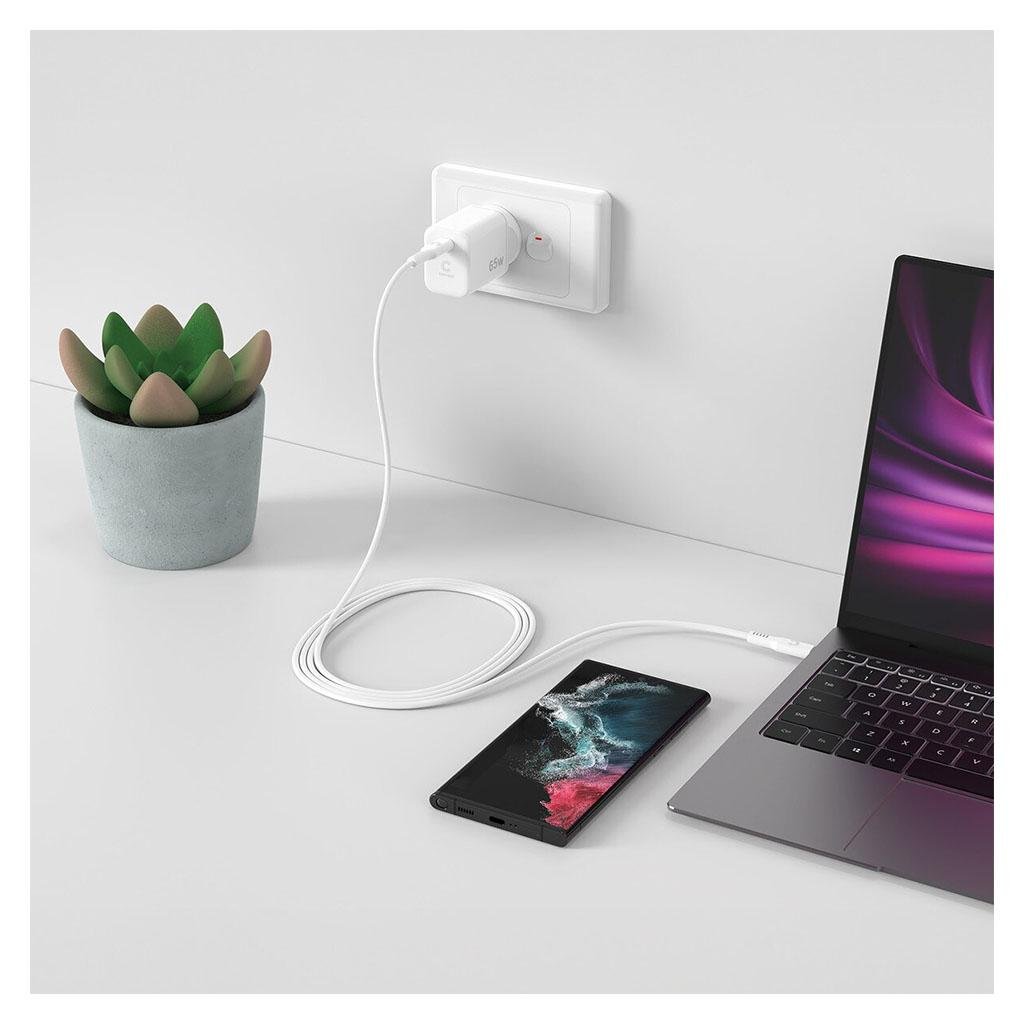
Choosing a phone charger may seem simple until you start comparing wattage ratings, charging standards, cable types and prices. One charger might offer 20W output, another 45W, while some adapters advertise 65W or more. But does a higher-wattage charger always charge your phone faster?
Not necessarily.
The best USB-C phone charger is one that supports your phone’s charging requirements, uses a compatible charging standard and comes with a suitable cable. Buying a more powerful adapter will not automatically make an incompatible phone charge faster.
In this guide, we explain how to choose a USB-C phone charger, understand wattage, compare charging standards and avoid common mistakes when buying an adapter.
What Is USB-C?
USB-C is a connector type used for charging and data transfer. Its reversible design allows you to plug the connector in either direction.
USB-C is widely used on modern Android phones, many newer iPhones, tablets, laptops, headphones and other electronic devices.
However, there is an important distinction: USB-C describes the connector, not the maximum charging speed. Two devices may have USB-C ports but support different charging speeds and power requirements.
For example, a phone may support USB Power Delivery, a manufacturer’s proprietary fast-charging system, or both. The charger and cable must support the relevant requirements for the intended charging speed.
#1. Understand Charger Wattage
Wattage, measured in watts (W), describes the rate at which electrical power can be delivered. For chargers, it helps indicate the maximum output supported under specified conditions.
You may commonly see adapters rated at 5W, 18W, 20W, 25W, 30W, 45W or 65W. These are examples of available charger ratings, not universal recommendations for every phone.
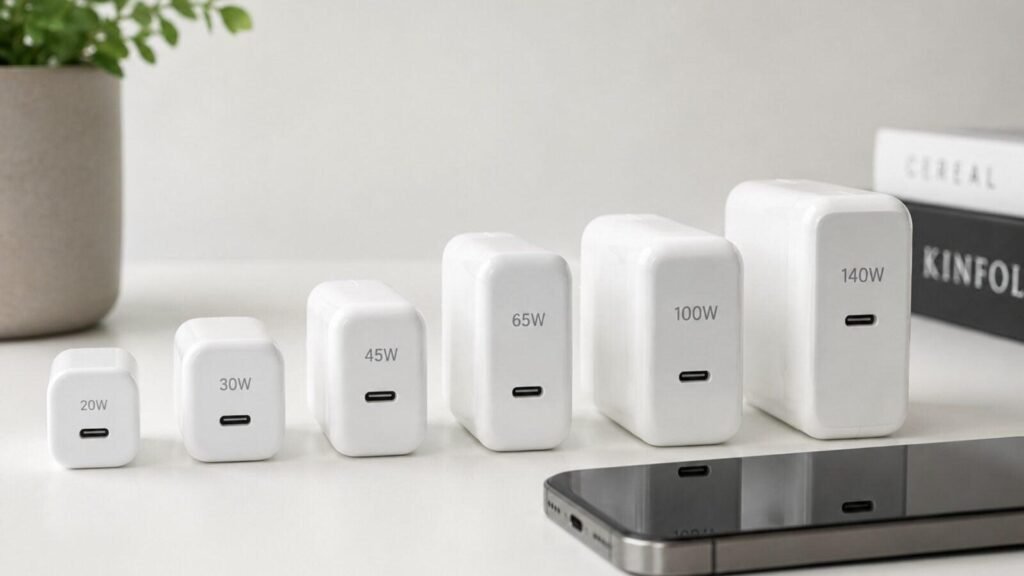
A higher-rated charger can support devices that need more power, but the phone determines how much power it accepts.
| Charger rating | What to know |
|---|---|
| 5W | Low-power charging; may be slow for many modern smartphones |
| 18W–20W | Suitable for some phones that support these charging levels |
| 25W–30W | Supported by many devices, but compatibility varies |
| 45W | Useful for devices designed to accept higher charging power |
| 65W or higher | May suit compatible phones, tablets and laptops; check each device’s requirements |
These ranges are examples only. Do not choose a charger based on wattage alone.
Does a 65W charger charge every phone faster?
No. If your phone supports a maximum charging input of 25W under the relevant conditions, using a 65W adapter will not make it accept 65W.
Actual charging speed also depends on battery level, temperature, device settings, cable capability and the charging protocol used.
Buying tip: Check the maximum supported charging power in your phone manufacturer’s specifications before purchasing a charger.
#2. Check Whether Your Phone Supports USB Power Delivery
USB Power Delivery, commonly called USB PD, is a charging standard that allows compatible devices and chargers to negotiate suitable power levels.
USB PD is used across many types of devices, including phones, tablets and laptops. Some USB PD implementations also support higher power through compatible equipment and cables.
Before buying an adapter, check:
- Whether your phone supports USB PD.
- Which power levels your phone accepts.
- Whether the charger lists compatible output profiles.
- Whether your phone uses an additional proprietary charging standard for its fastest charging mode.
A charger may be perfectly suitable for ordinary charging but fail to deliver the phone’s advertised maximum fast-charging speed if it does not support the required protocol.
#3. Choose the Right USB-C Cable
The charger is only one part of the charging setup. Your cable also matters.
USB-C cables can differ in their supported current, power capability, data-transfer capability and construction. Not every cable supports every charging mode.
When selecting a cable:
- Choose a cable from a reputable manufacturer.
- Check that its rated power supports your intended charger and device.
- Follow any cable requirements specified by your phone manufacturer.
- Replace cables with damaged connectors, exposed wires or intermittent connections.
- Avoid suspiciously cheap products that make unsupported performance claims.
Some higher-power USB-C charging arrangements require an appropriately rated cable, including an electronic marker for supported high-current use cases. Check the charger and cable specifications rather than assuming every USB-C cable is equivalent.
If your phone charges slowly despite having a compatible adapter, testing with a known-good, correctly rated cable can help identify the cause.
#4. Look Beyond the Maximum Wattage
Two chargers with the same maximum wattage may offer different output profiles and compatibility.
For example, a 30W charger may list several output voltages and currents. Your phone needs a compatible combination to negotiate the appropriate charging power.
Before buying, review the product’s technical specifications for:
- Supported USB PD profiles.
- Maximum output from each port.
- Whether the maximum output is shared across multiple ports.
- Compatibility with your phone’s fast-charging requirements.
- Safety certifications and manufacturer information.
Do not assume that a charger advertising 65W can provide 65W to every connected device simultaneously. Multi-port adapters may reduce or redistribute power when more than one device is connected.
#5. Should You Buy a Single-Port or Multi-Port Charger?
Your charging habits can help determine which design is more useful.
Single-port charger: A practical choice if you normally charge one phone at a time. It may be simpler to use and easier to carry.
Multi-port charger: Useful if you regularly charge a phone, earbuds, tablet or other devices together. Check how the adapter distributes its total output across ports.
For example, a 65W multi-port adapter might support 65W from one port under specified conditions, but provide a different power distribution when two or three ports are in use.
Read the port-by-port output specifications before buying.
#6. Check Safety and Build Quality
A charger is an electrical device, so safety should matter more than saving a small amount of money.
Look for:
- A clearly identified manufacturer and model.
- Reliable product documentation.
- Appropriate safety certification for the market where you live.
- Properly specified voltage, current and output ratings.
- A sturdy plug, enclosure and cable connection.
- A seller that provides a clear warranty or return policy.
In India, check applicable BIS requirements for the specific product category where relevant. Do not assume that a product is safe simply because a listing uses the words “fast charging” or “premium quality.”
Avoid damaged adapters, loose sockets and cables with exposed wires. Stop using equipment that smells burnt, sparks abnormally or becomes excessively hot.
Normal warmth during charging can occur, but unusual heat or visible damage should not be ignored.
#7. Understand Fast Charging and Battery Health
Fast charging is convenient, especially when you have limited time to recharge. However, charging power is not constant throughout the entire charging cycle.
A phone may accept more power at a lower battery level and reduce charging power as the battery approaches full charge or becomes warm.
Battery management also depends on the phone’s hardware and software.
To help maintain battery health:
- Use a compatible, reliable charger and cable.
- Avoid charging in excessively hot environments.
- Keep the phone’s charging area unobstructed.
- Use battery-protection or optimized-charging features when available.
- Replace damaged accessories instead of continuing to use them.
Using a compatible higher-wattage charger does not automatically damage a phone. The device and charger negotiate power according to supported standards. However, compatibility and product quality still matter.
#8. How to Choose a Charger for Your Phone
Your best choice depends on the phone you own and how you use it.
For everyday Android phones
Check the manufacturer’s recommended charging power and supported protocol. A charger with compatible USB PD support may be suitable, but some phones need a specific proprietary standard for their maximum charging speed.
For newer iPhones
Check the specifications for your exact iPhone model and use a compatible USB-C power adapter and cable. Do not assume that an adapter’s maximum wattage equals the charging power your iPhone will draw.
For Samsung Galaxy phones
Check whether your specific model supports standard USB PD charging or a particular fast-charging mode. Some Galaxy models require compatible USB PD PPS equipment to achieve their supported Super Fast Charging performance.
For phones, tablets and laptops
If you want one adapter for multiple devices, check the power needs of each device and the charger’s multi-port output limits. A 65W or higher charger may suit some combinations, but it is not automatically sufficient for every laptop or device.
#9. Common USB-C Charger Buying Mistakes
Buying the highest wattage without checking compatibility: Your phone may not support the advertised maximum power.
Assuming all USB-C cables are identical: Cable capabilities and power ratings can differ.
Ignoring multi-port output limits: The adapter may divide its available power between connected devices.
Choosing an unknown charger based only on price: Reliable construction, accurate specifications and safety matter.
Expecting maximum speed throughout charging: The phone may reduce power as the battery fills or heats up.
Ignoring the manufacturer’s recommendations: Device-specific guidance is the best starting point when choosing a charger.
Frequently Asked Questions
Q1. Is a 65W USB-C charger safe for a phone?
It can be safe if the charger is reliable and compatible with the phone’s supported charging standards. The phone does not automatically draw the full 65W. Check the manufacturer’s recommendations for your model.
Q2. Is a higher-wattage charger always faster?
No. The phone must support the relevant charging power and protocol. Cable capability, battery level and temperature also influence charging speed.
Q3. Does USB-C mean fast charging?
No. USB-C is a connector type. Charging speed depends on the device, charger, cable and supported charging standards.
Q4. Can I use one USB-C charger for my phone and laptop?
Sometimes. Check the power requirements of both devices, the charger’s output profiles and how power is shared between ports. A charger suitable for a phone may not provide enough power for every laptop.
Q5. Do I need a special cable for fast charging?
Possibly. It depends on the charger, phone and required power level. Use a cable with the appropriate specifications and follow the device manufacturer’s recommendations.
Q6. Should I buy an original charger or a third-party charger?
Either can be suitable if it is compatible, properly rated and from a trustworthy manufacturer. Verify its specifications and applicable safety compliance rather than judging it only by its brand name or price.
Final Thoughts
Choosing the right USB-C phone charger is about more than finding the highest wattage. Start with your phone’s supported charging power, confirm compatibility with USB Power Delivery or the relevant proprietary standard, and select a cable rated for your intended setup.
If you regularly charge several devices, also consider multi-port output limits. Prioritize reliable construction and safety over unusually low prices or unsupported fast-charging claims.
By checking these details before buying, you can choose a charger that suits your devices without paying for power they cannot use.