
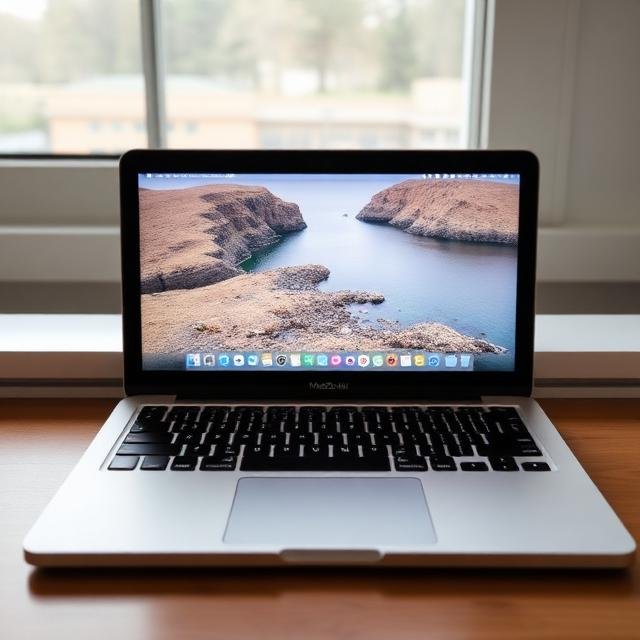
MacBook Air M4 — Overview
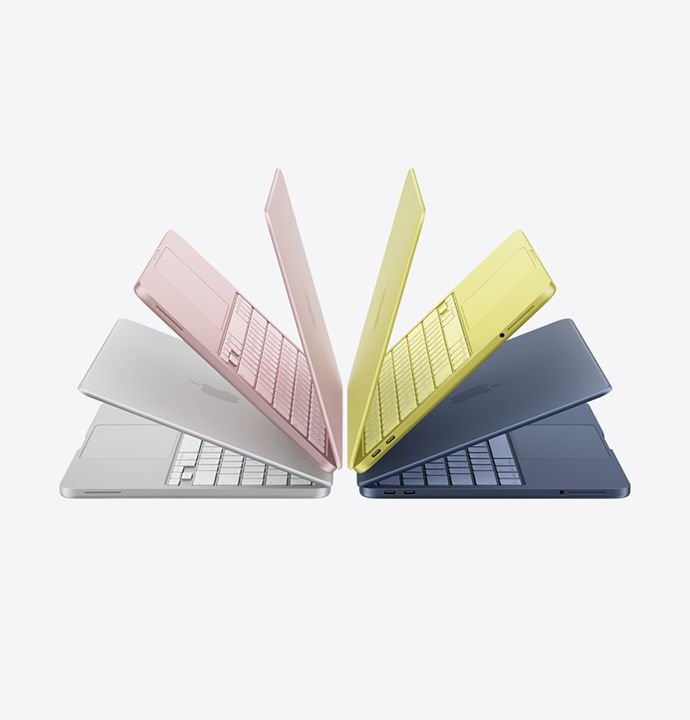
The MacBook Air M4 (2025) brings the latest generation Apple-silicon performance to Apple’s lightest notebook line. With the upgraded M4 chip, sleek design, fanless build, and impressive battery expectations, it aims to be the go-to choice for students, professionals, creators, and everyday users — all in a thin and light chassis.
Apple claims up to 15 hours of wireless web browsing or 18 hours of video playback battery life.
Performance — Real-World & Benchmarks
What’s New Under the Hood:
- The M4 chip inside the Air includes a 10-core CPU (efficiency + performance cores) and a 8- or 10-core GPU depending on variant.
- Unified memory configurations now start at 16 GB RAM (upgradeable), making multitasking smoother.
- The display: 13.6-inch Liquid Retina (2560×1664) with wide-colour P3, 500 nits brightness.
Benchmark & Real-Use Performance
From Independent Reviews:
• In Geekbench 6, the M4 Air obtained very good scores in both single-core and multi-core tasks with improvements from previous versions.
• The M4 glitch-free handled the sleep mode tasks of the rest-work: browsing, office, coding, and photo editing.
• Running a single creative or content editing workload which included light video editing, photo editing, and design apps ran smoothly.
Battery Life & Efficiency
Battery performance is one of the MacBook Air M4’s strongest suits:
- In tests simulating real-world web browsing over Wi-Fi, the 13-inch Air lasted about 14 hours 50 minutes before needing a recharge.
- For the 15-inch variant, battery tests reported around 15 hours + under typical mixed-usage workloads.
- With lighter tasks like writing, browsing, note-taking — on modest brightness — many users report getting a full day of work without plugging in.
The efficient architecture of the M4 chip helps maintain strong battery life even while delivering good performance.
Real-World Outcome: For students, professionals, and travelers — the MacBook Air M4 delivers nearly “real all-day” use on a single charge.
Great Things To Use It For
• Students and Office Work – Word docs, browsing, multitasking, presentations— smooth operation and long battery life.
• Writing, Content Creation, Blogging – Easy to carry and with an outstanding keyboard, plus great battery, it’s perfect for portable, on-the-go work.
• Photo Editing and Light Design – For less intensive and not extremely GPU-heavy apps, the M4 does fine with tasks needing creativity.
• Remote Workers and Frequent Flyers – Long battery life, lightweight, and compact — candidates for perfect work laptops.
• General Productivity and Multitasking – Running browser, mail, notes, and some light media work — no problem at all.
Limitations & Where It’s Not Ideal
4K heavy video editing / rendering / heavy graphic work – It is fanless so for heavy sustained work video editing, long GPU tasks the editing may throttle.
• Gaming / GPU heavy tasks – not a workhorse for heavy games and 3D rendering, and is not a gaming laptop.
• Limited port selection – as with other Air laptops, port variety is usually minimal, and it’s mostly USB-C / Thunderbolt / MagSafe, so no USB-A, no SD card slot (often requires an adapter).
Verdict —Should you purchase a MacBook Air M4 in 2025 / 2026 ??
Yes — if you want a lightweight, powerful, long-lasting, and future-ready laptop for most everyday tasks, productivity, creative work, and mobility, the MacBook Air M4 offers among the best value in 2025.
It strikes a strong balance between performance, battery life, portability and sleekness — making it ideal for students, professionals, creatives, and frequent travelers.
If your needs include heavy video editing, professional 3D work, or high-end gaming — you may want to look at higher-end (actively cooled) machines.
But for 90%+ users, the MacBook Air M4 delivers a smooth, premium laptop experience that’s hard to beat.
MacBook Air M4 – Pros and Cons
Pros
• Performance is great for both casual and more serious professional workloads
• While battery life is great in practice (14-15+ hours of usage)
• Design is fanless, so operation is silent
• Display is Liquid Retina, with good brightness and color accuracy
• Construction is lightweight and highly portable
• Keyboard is great with a big, smooth, trackpad
• MagSafe charging with 2 fast, USB-C ports
• 1080p webcam supports video calls
• Wi-Fi 6E supports high-speed connections
Cons
• H4K editing and longer workloads which require a powerful GPU are difficult.
• Construction is highly portable, but there are few ports.
• Not very good for gaming
• Because of you, the only upgrades are for RAM and storage.
MacBook Air M4 vs. MacBook Air M3 & M2 — Comparison
| Feature | MacBook Air M2 | MacBook Air M3 | MacBook Air M4 |
| Chip | M2 | M3 | M4 (latest) |
| CPU/GPU Speed | Good | Better | Best (big jump) |
| Battery Life | 12–13 hrs | 13–14 hrs | 14–15+ hrs |
| Display | Retina | Liquid Retina | Liquid Retina |
| Ports | 2× USB-C | 2× USB-C | 2× USB-C + MagSafe |
| Thermals | Fanless | Fanless | Fanless + improved efficiency |
| AI Features / On-device processing | Basic | Better | Strong next-gen AI performance |
| Best For | Budget users | Students, light creators | Pro-level everyday users |
Upgrade Recommendation
- Coming from M2 or older → Yes, worth upgrading
- Coming from M3 → Upgrade only if battery life + better efficiency matter to you
Who Should Buy the MacBook Air M4?
Recommended For:
- Students
- Office workers
- Bloggers and writers
- Business professionals
- Light content creators
- Programmers (not heavy GPU tasks)
- Frequent travellers
- Anyone wanting the best lightweight laptop in 2025
Not Recommended For:
- Heavy video editors (4K/8K timelines)
- 3D designers / rendering professionals
- Gamers
- Users who need many ports (SD card, HDMI etc.)
Final Verdict
Escorted with excellent performance, the Macbook Air M4 stands as one of the best ultrabooks of 2025 alongside industry-leading battery, premium build, and incredible portability. 90% of users as suggested should make this laptop of their own, the rest should choose Macbook Pro.



Leave a Reply